June 12, 2026
Building an HTTP Server in C
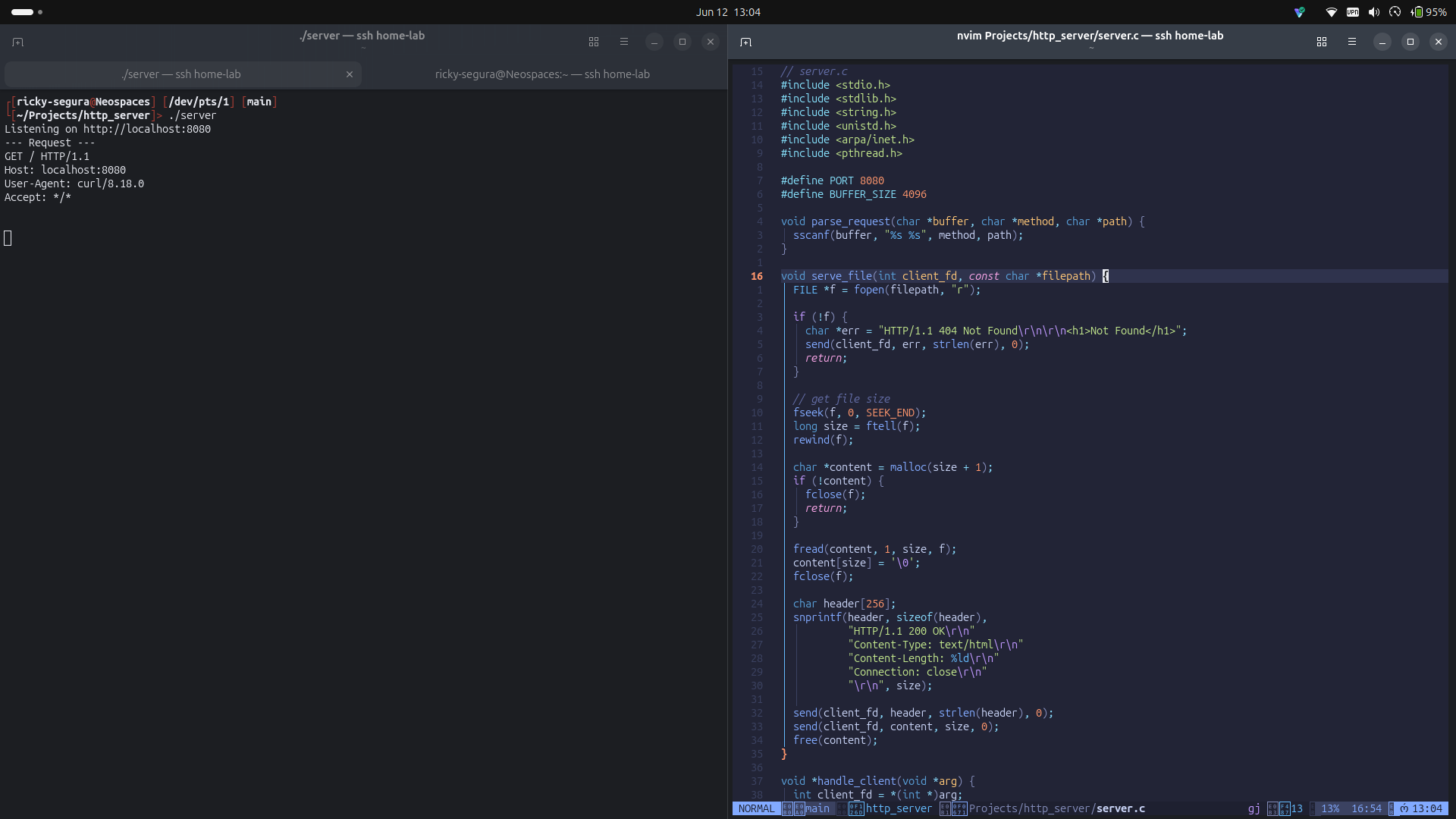
Building an HTTP Server from Scratch in C
I've been building out a home server on an old HP laptop running Ubuntu, and wanted to really understand how HTTP works under the hood — not just use a framework, but build the thing myself. So I wrote a basic HTTP server in C from scratch. No libraries, no abstractions, just raw POSIX sockets.
Why C?
I could have done this in Java or Python, but C forces you to confront things higher-level languages hide from you — memory management, pointer arithmetic, byte-level network I/O. It's been a while since I've written C (last time was college), but that's kind of the point. If you want to understand how a web server actually works, C is the most honest way to do it.
How an HTTP Server Works
At its core, an HTTP server is a loop that does six things repeatedly:
- Create a TCP socket
- Bind it to a port
- Listen for incoming connections
- Accept a client connection
- Read and parse the HTTP request
- Send a response
That's it. Every web server in existence — Nginx, Apache, Node.js — is doing exactly this, just with a lot more sophistication layered on top.
The Socket
server_fd = socket(AF_INET, SOCK_STREAM, 0);
socket() asks the kernel to create a communication endpoint and hands back a file descriptor — just an integer — that represents it. AF_INET means IPv4, SOCK_STREAM means TCP. At this point nothing is happening on the network yet, we just have an open slot in the kernel's file table.
Right after creating the socket, I set SO_REUSEADDR:
int opt = 1;
setsockopt(server_fd, SOL_SOCKET, SO_REUSEADDR, &opt, sizeof(opt));
Without this, stopping and restarting the server would fail with "Address already in use" for up to 60 seconds while the kernel waits out TCP's TIME_WAIT state. Essential during development.
Binding to a Port
address.sin_family = AF_INET;
address.sin_addr.s_addr = INADDR_ANY;
address.sin_port = htons(PORT);
bind(server_fd, (struct sockaddr *)&address, sizeof(address));
bind() gives the socket an identity — an IP address and port number. INADDR_ANY means accept connections on any network interface, so both 127.0.0.1 and the LAN IP work. htons() converts the port number from the CPU's native little-endian byte order to the big-endian byte order the network protocol expects. Forgetting htons() is a classic bug.
Parsing the Request
Every HTTP request starts with a request line:
GET /about HTTP/1.1
Three pieces of information: method, path, and HTTP version. I wrote a small parser using sscanf to extract them:
void parse_request(char *buffer, char *method, char *path) {
    sscanf(buffer, "%s %s", method, path);
}
One thing worth noting — in C you can't compare strings with ==. You use strcmp, which returns 0 on a match:
if (strcmp(path, "/") == 0) {
    serve_file(client_fd, "public/index.html");
} else if (strcmp(path, "/about") == 0) {
    serve_file(client_fd, "public/about.html");
} else {
    // 404
}
Serving Files from Disk
Rather than hardcoding HTML strings in the source, I wrote a serve_file function that reads a file off disk and streams it to the client:
void serve_file(int client_fd, const char *filepath) {
    FILE *f = fopen(filepath, "r");

    if (!f) {
        char *err = "HTTP/1.1 404 Not Found\r\n\r\n<h1>Not Found</h1>";
        send(client_fd, err, strlen(err), 0);
        return;
    }

    fseek(f, 0, SEEK_END);
    long size = ftell(f);
    rewind(f);

    char *content = malloc(size + 1);
    if (!content) {
        fclose(f);
        return;
    }

    fread(content, 1, size, f);
    content[size] = '\0';
    fclose(f);

    char header[256];
    snprintf(header, sizeof(header),
        "HTTP/1.1 200 OK\r\n"
        "Content-Type: text/html\r\n"
        "Content-Length: %ld\r\n"
        "Connection: close\r\n"
        "\r\n", size);

    send(client_fd, header, strlen(header), 0);
    send(client_fd, content, size, 0);
    free(content);
}
The file size trick — fseek to the end, ftell to read the position, rewind to go back to the start — is a classic C pattern since there's no direct "get file size" call on a FILE *. Every malloc pairs with a free, every fopen pairs with an fclose.
Handling Multiple Clients with Threads
The basic single-threaded loop handles one client at a time — the next connection has to wait. I added pthread to spin up a new thread for each incoming connection:
while (1) {
    int *client_fd = malloc(sizeof(int));
    *client_fd = accept(server_fd, (struct sockaddr *)&address,
                        (socklen_t *)&addrlen);

    pthread_t tid;
    pthread_create(&tid, NULL, handle_client, client_fd);
    pthread_detach(tid);
}
client_fd is heap-allocated so each thread gets its own copy — if it were a stack variable it could get overwritten before the thread reads it. pthread_detach tells the kernel to clean up the thread automatically when it finishes, since we're not going to join it.
The Full Server
// server.c
#include <stdio.h>
#include <stdlib.h>
#include <string.h>
#include <unistd.h>
#include <arpa/inet.h>
#include <pthread.h>

#define PORT 8080
#define BUFFER_SIZE 4096

void parse_request(char *buffer, char *method, char *path) {
    sscanf(buffer, "%s %s", method, path);
}

void serve_file(int client_fd, const char *filepath) {
    FILE *f = fopen(filepath, "r");

    if (!f) {
        char *err = "HTTP/1.1 404 Not Found\r\n\r\n<h1>Not Found</h1>";
        send(client_fd, err, strlen(err), 0);
        return;
    }

    fseek(f, 0, SEEK_END);
    long size = ftell(f);
    rewind(f);

    char *content = malloc(size + 1);
    if (!content) {
        fclose(f);
        return;
    }

    fread(content, 1, size, f);
    content[size] = '\0';
    fclose(f);

    char header[256];
    snprintf(header, sizeof(header),
        "HTTP/1.1 200 OK\r\n"
        "Content-Type: text/html\r\n"
        "Content-Length: %ld\r\n"
        "Connection: close\r\n"
        "\r\n", size);

    send(client_fd, header, strlen(header), 0);
    send(client_fd, content, size, 0);
    free(content);
}

void *handle_client(void *arg) {
    int client_fd = *(int *)arg;
    free(arg);

    char buffer[BUFFER_SIZE] = {0};
    read(client_fd, buffer, BUFFER_SIZE);

    char method[8], path[256];
    parse_request(buffer, method, path);
    printf("--- Request ---\n%s\n", buffer);

    if (strcmp(path, "/") == 0) {
        serve_file(client_fd, "public/index.html");
    } else if (strcmp(path, "/about") == 0) {
        serve_file(client_fd, "public/about.html");
    } else {
        char *not_found =
            "HTTP/1.1 404 Not Found\r\n"
            "Content-Type: text/html\r\n"
            "Connection: close\r\n"
            "\r\n"
            "<h1>Not Found</h1>";
        send(client_fd, not_found, strlen(not_found), 0);
    }

    close(client_fd);
    return NULL;
}

int main() {
    int server_fd;
    struct sockaddr_in address;
    int addrlen = sizeof(address);

    server_fd = socket(AF_INET, SOCK_STREAM, 0);

    int opt = 1;
    setsockopt(server_fd, SOL_SOCKET, SO_REUSEADDR, &opt, sizeof(opt));

    address.sin_family = AF_INET;
    address.sin_addr.s_addr = INADDR_ANY;
    address.sin_port = htons(PORT);
    bind(server_fd, (struct sockaddr *)&address, sizeof(address));

    listen(server_fd, 10);
    printf("Listening on http://localhost:%d\n", PORT);

    while (1) {
        int *client_fd = malloc(sizeof(int));
        *client_fd = accept(server_fd, (struct sockaddr *)&address,
                            (socklen_t *)&addrlen);

        pthread_t tid;
        pthread_create(&tid, NULL, handle_client, client_fd);
        pthread_detach(tid);
    }

    return 0;
}
Compile and run:
gcc -o server server.c -lpthread
./server
What's Working
- TCP socket server on port 8080
- Path-based routing with
strcmp - Serving HTML files from a
public/directory - 404 handling for unknown routes
- Multi-threaded — each client gets its own thread
What's Next
- Logging requests to a file — timestamp, method, path, and status code written to
access.logon every request - Handling POST requests — reading the
Content-Lengthheader and parsing the request body, enabling form submissions and basic API endpoints